
How to plan step by step.
A passage from Cowes to Cherbourg, created in the ProSail planning on the forecast of 8 November 2026. Eight steps, from chart to crew briefing.
Join the waitlist-
1
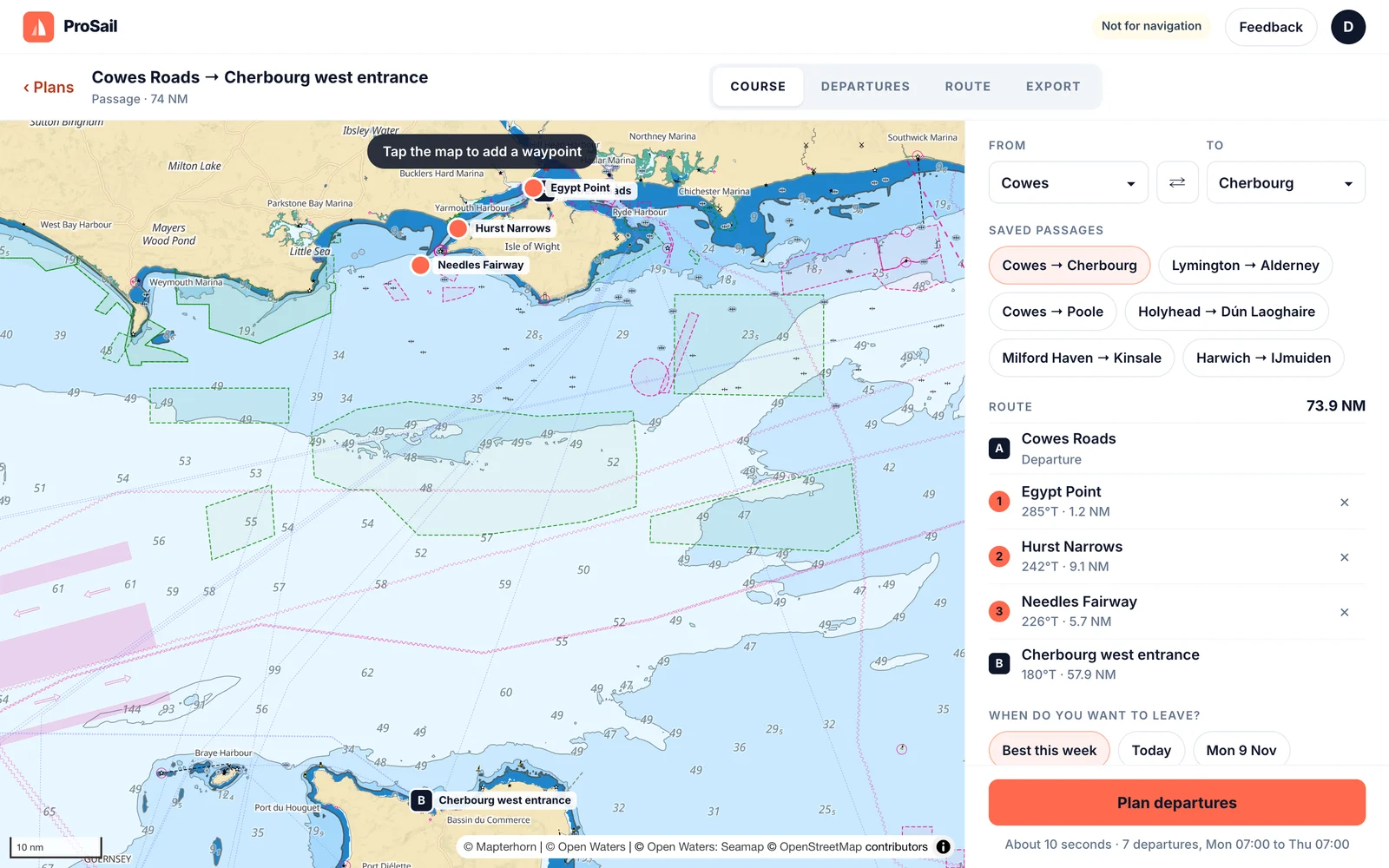
Choose your passage
Pick a departure and arrival, or a saved passage. Tap the chart to add waypoints, to round a headland or keep clear of a traffic separation scheme.
-
2
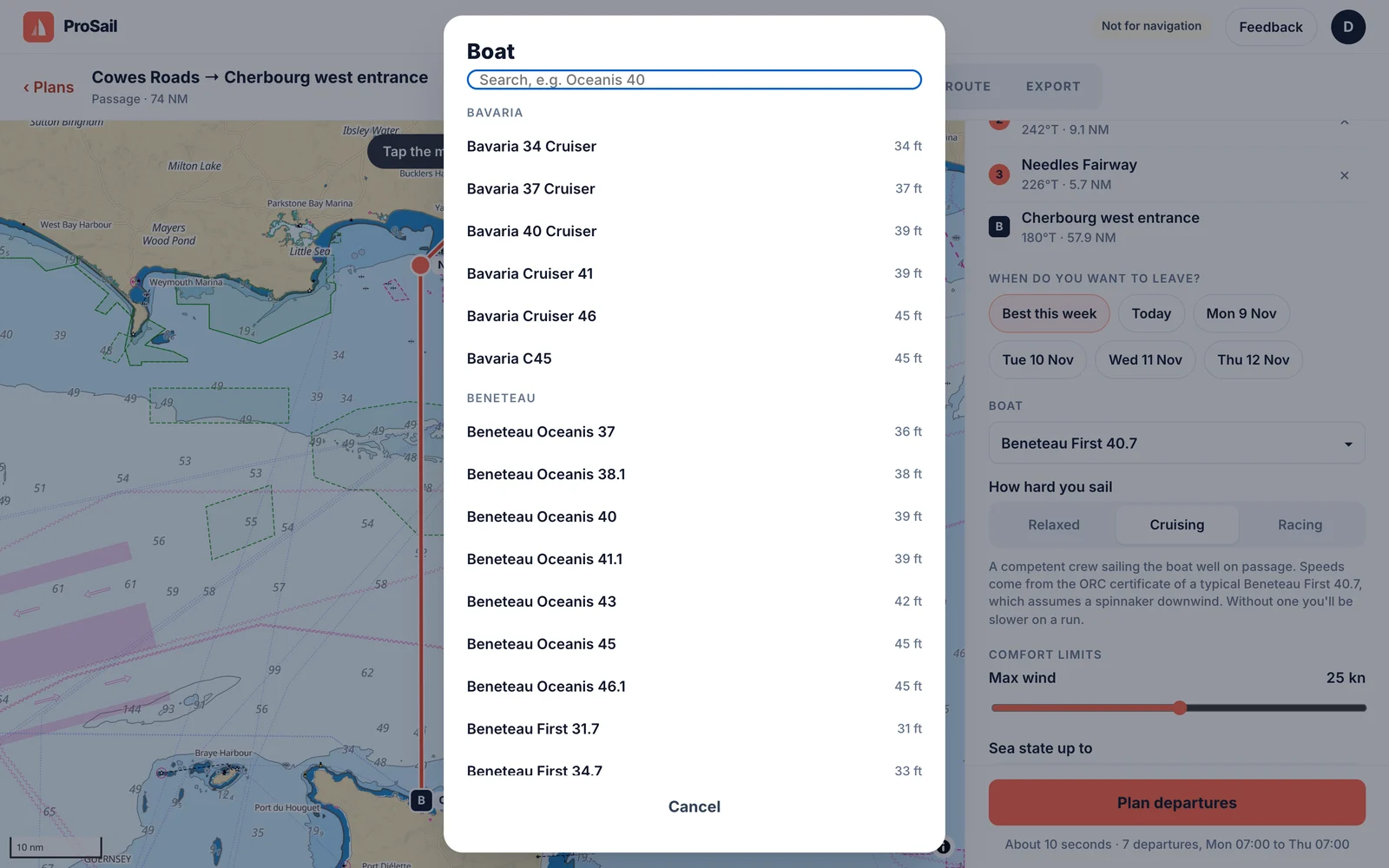
Pick your boat
Choose your boat from the list. Its characteristics are taken from ORC certificate data for that design.
-
3
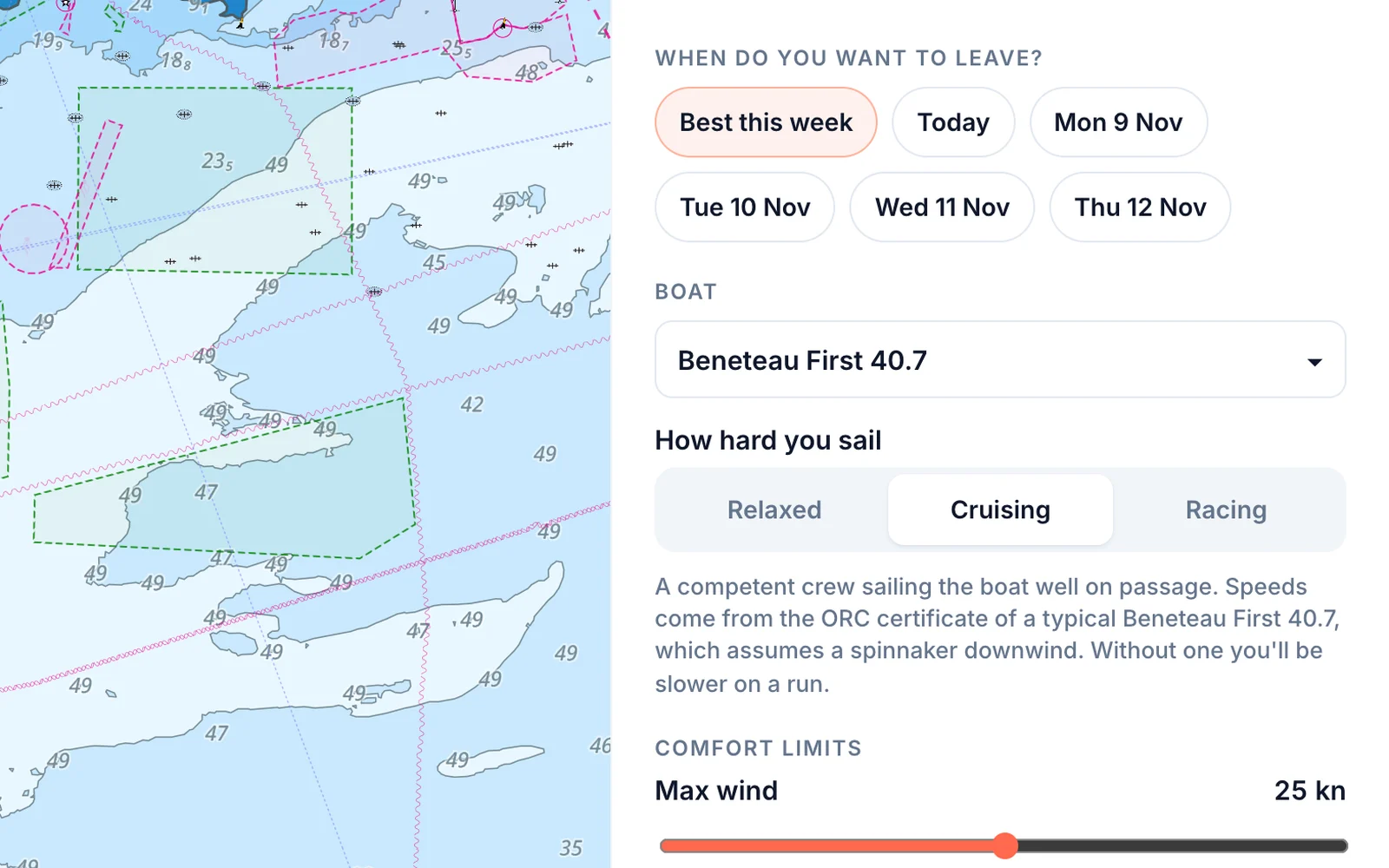
Set how hard you sail and your limits
Relaxed, cruising or racing sets how close to the boat’s polar you sail. Then set the most wind and sea you’re happy with, and when you’d like to leave.
-
4
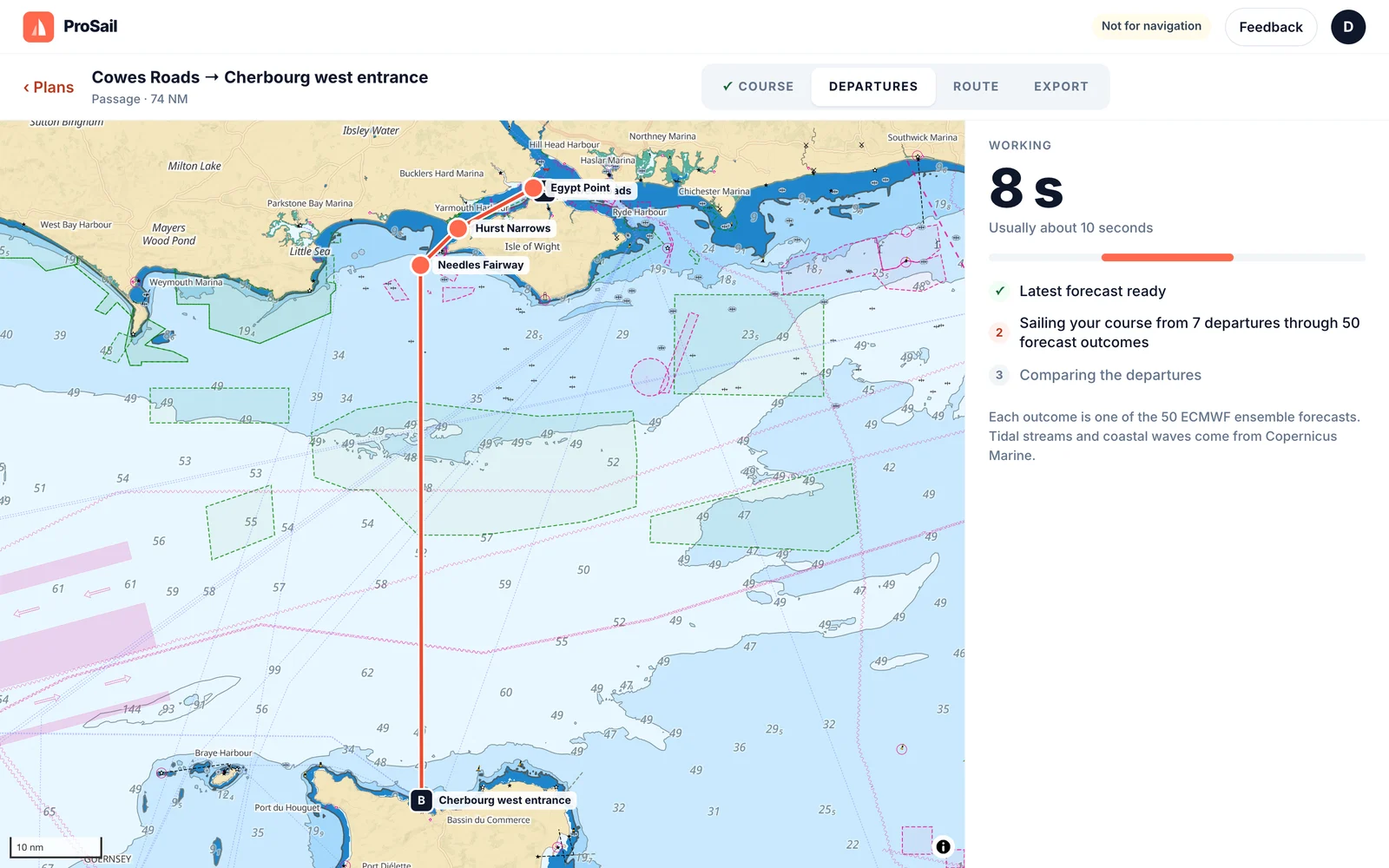
ProSail sails it 50 times
The routing engine sails your course from seven departure times through all 50 ECMWF ensemble forecasts, with tidal streams and wave heights. It takes about ten seconds.
-
5
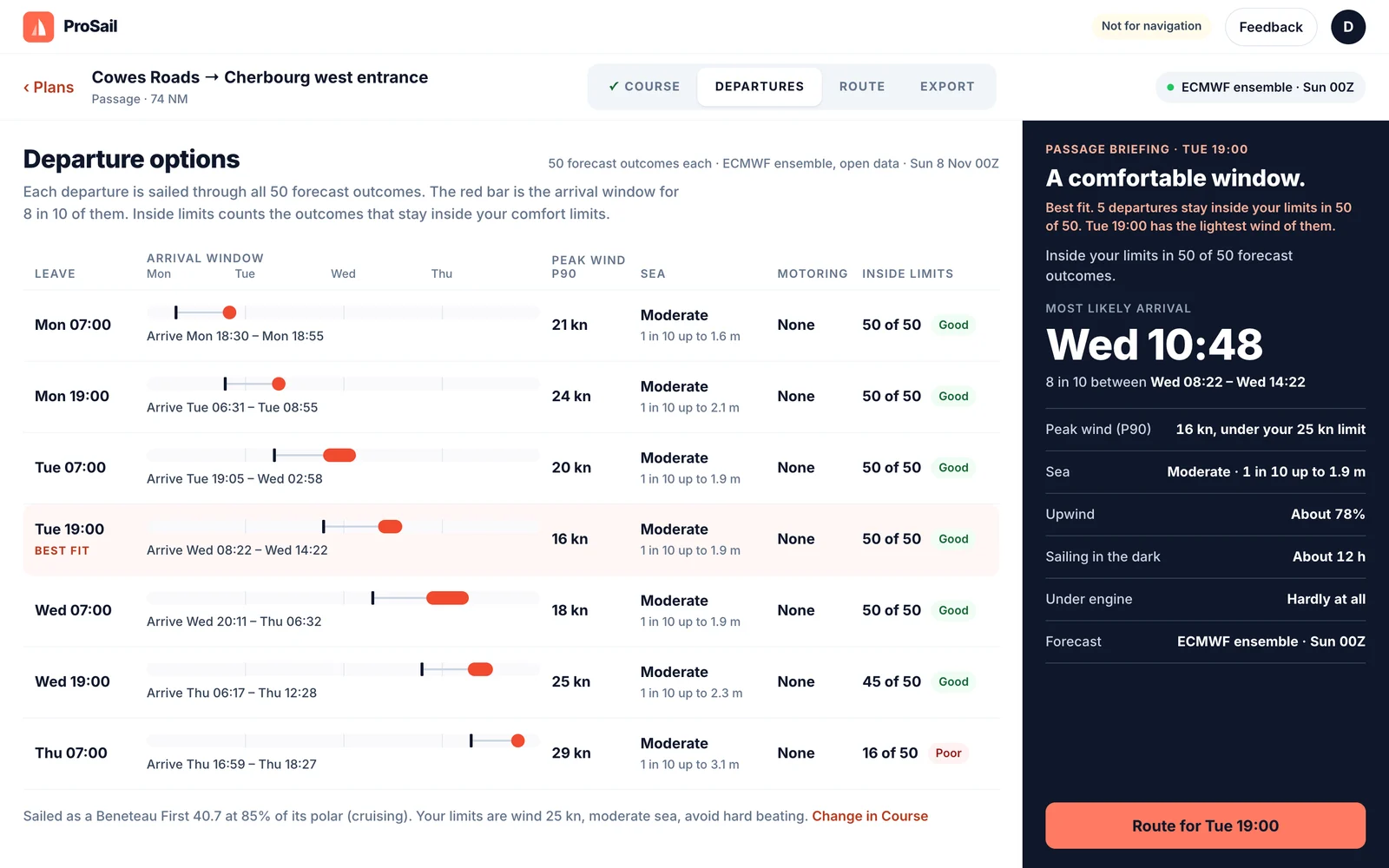
Compare departures
Each departure gets an arrival window, peak wind, sea state and how many of the 50 forecasts stay inside your limits. The best fit is marked, with a short briefing alongside. Select your preferred option to route.
-
6
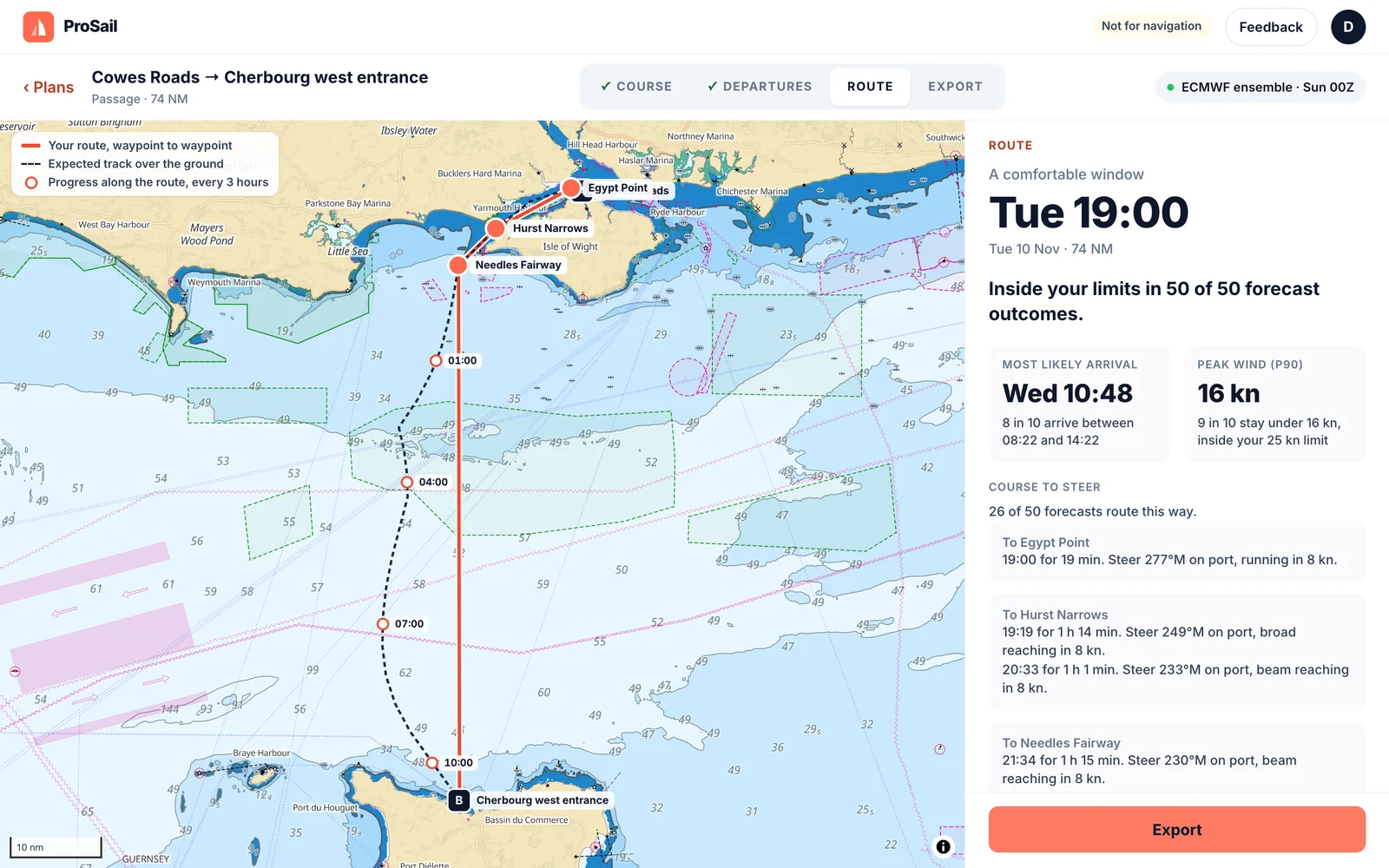
Check the route
The expected track over the ground with your position every three hours, and the course to steer for each leg, on which tack and how fast.
-
7
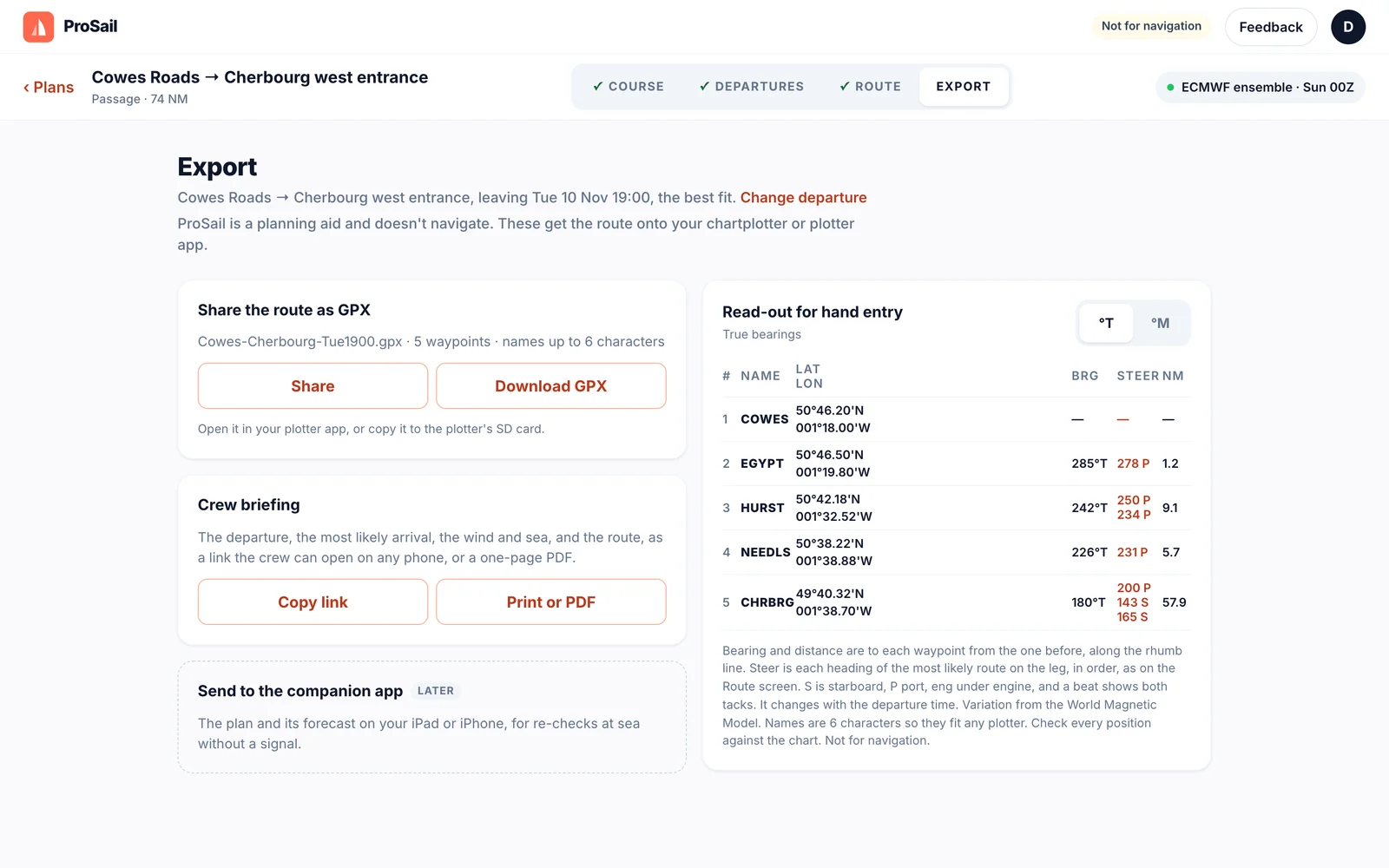
Export to your plotter
Download the route as GPX for your chartplotter or plotter app, or read the waypoints off for hand entry, in true or magnetic.
-
8
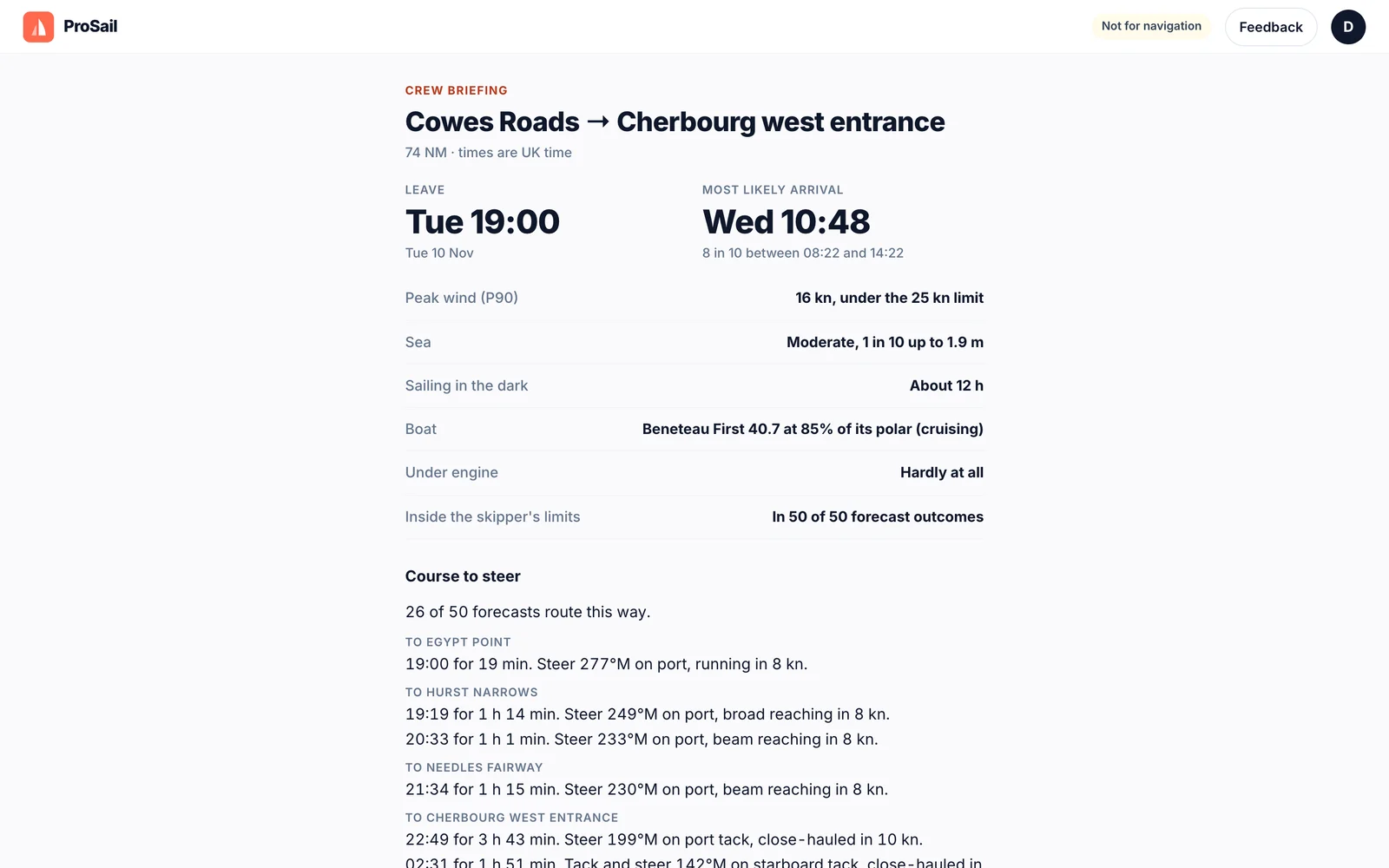
Share the crew briefing
Send the crew a link with the departure, arrival, wind, sea and course to steer. It opens on any phone, with no account needed.
Screens from the ProSail app. Not for navigation.
Plan your own passage in your browser.
Access opens on 23 November, with passages first and races to follow.
Join the waitlist